
Trade Risk education / Worden TC2000
TC2000 guides & tutorials
Learn the platform, build better scans, and make your TC2000 workspace work for the way you trade.
New to TC2000?Use our referral link to claim any available introductory discounts when you sign up.
View plans with our referral link Platform tutorials
Master the platform
Practical walkthroughs for charts, watchlists, alerts, and everyday TC2000 workflows.
Sector & industry analysis
Create layouts and workflows to stay on top of sector rotation. Watch tutorial
Mastering timeframes
Sync charts, use hotkeys, and customize your scans across timeframes. Watch tutorial
Most watched & trending stocks
Explore the most-watched data introduced in TC2000 Version 23. Watch tutorial
Watchlist manager
Organize your stocks more efficiently with the watchlist manager. Watch tutorial
Charts, layouts & workspaces
Learn the core building blocks of a practical TC2000 workspace. Watch tutorial
Drawing boards
Organize, move, and display multiple drawing boards across charts. Watch tutorial
Alerts
Set up price, trendline, and custom-condition alerts. Watch tutorial
Version 23 features
A guided tour of the features introduced in Version 23. Watch tutorial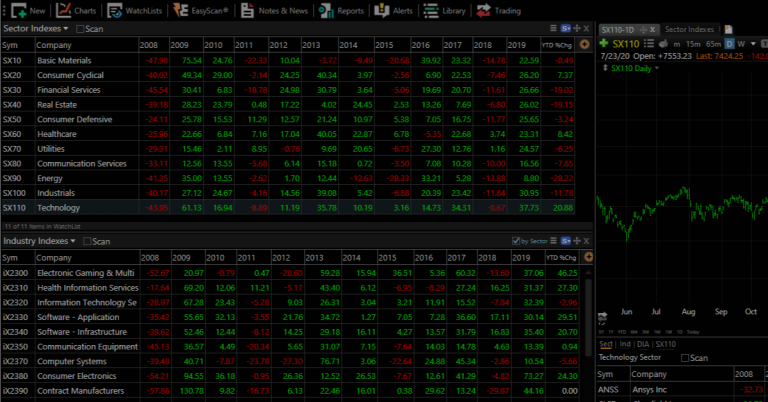
Platform review
A high-level look at TC2000 for traders considering the software. Watch tutorial
Pin indicators to your charts
Save time by keeping frequently used indicators close at hand. Watch tutorial
Conditional colors
Color price bars and indicators to make important conditions visible. Watch tutorialScanning & formulas
Build better scans and screeners
Find the setups you care about with point-and-click filters, then sharpen your screeners with custom formulas.
New PCF features
Explore functions, parameters, tags, and other formula upgrades. Watch tutorial
Scan for swing trade setups
Build a swing-trading scan step by step with simple PCF code. Watch tutorial
Scan for breakout setups
Find breakout candidates by writing practical PCF conditions. Watch tutorial
Scanning without code
Get started with TC2000’s point-and-click scanning tools. Watch tutorialPut the lessons to work
Explore scans, indicators & layouts
Browse ready-to-use TC2000 tools, including free and paid options, in the Trade Risk store.
Popular picks
Visit the TC2000 store
Stay in the loop
Get TC2000 updates in your inbox
Be first to hear about new scans, indicators, tutorials, and TC2000 platform tips.